What Actually Happens When a Nest Install Trips a Fuse
One wrong wire on a smart thermostat swap and the whole system goes dark. Here's why.
August 25, 2026 · 4 min read
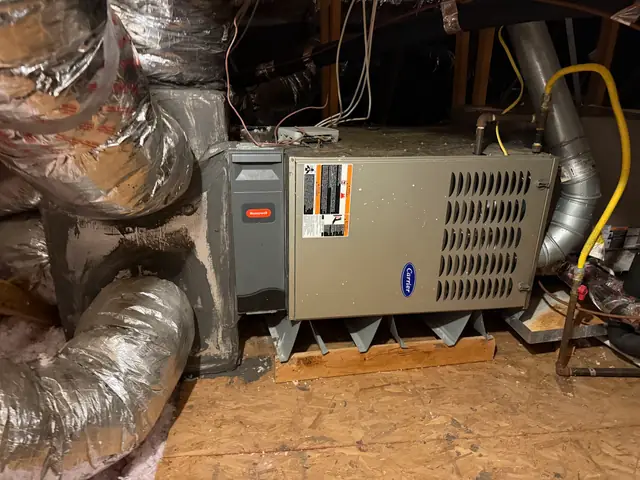
Swapping a thermostat looks like the easiest job in HVAC. Pull the old one off the wall, note which colored wire goes where, screw the new one on, done. Most of the time that's exactly how it goes. But smart thermostats changed the wiring picture in a way that catches a lot of new homeowners off guard, and one recent case is worth walking through because it explains a failure mode that has nothing to do with the thermostat brand and everything to do with how the system is wired underneath it.
The C-wire problem
Older mechanical and basic digital thermostats didn't need constant power. They just closed a low-voltage circuit when they wanted heating or cooling, and the system's own transformer supplied that brief signal. Smart thermostats are small always-on computers, with a screen, Wi-Fi, and sensors, and that needs continuous power. Most modern systems provide that through what's called a C-wire, or common wire. Plenty of older homes were wired without one, because the older thermostat never needed it.
When a C-wire isn't available, some smart thermostats improvise, drawing tiny amounts of power by briefly borrowing from the heating or cooling wires themselves. It usually works fine. But it's pulling more current through a low-voltage circuit than that circuit was originally sized for, and the system's low-voltage transformer is protected by a small fuse for exactly this reason, to blow before anything more expensive gets damaged. Get the wiring configuration wrong during a self-install, or land on a system where the improvised power-borrowing trick doesn't play nice with the specific board installed, and that fuse does exactly its job. It blows, and the whole system, heating and cooling both, goes dead.
What it looks like from the homeowner's side
This is the frustrating part. To someone standing in the house, the symptom looks like the AC itself failed, not the thermostat. The system doesn't respond to anything, the app doesn't work, nothing. It genuinely looks like a much bigger problem than a fuse the size of a fingernail. That's exactly the situation one Prime Texas Air customer described after moving into a new house and installing a Nest thermostat himself. The AC simply stopped responding, with no obvious cause, right after what should have been a routine 20-minute job.
- The thermostat screen is blank or won't power on at all
- Neither heating nor cooling responds, not just one or the other
- The problem started right after a new thermostat install
- The outdoor unit doesn't run even when the system is manually forced on
The actual fix is usually small
Diagnosing this means opening the air handler or furnace control board, finding the low-voltage fuse, confirming it's blown, and understanding why before just dropping a new one in. Replacing a blown fuse without figuring out what popped it just sets up a repeat trip. In the case above, the technician isolated the wiring issue, installed a new fuse, and helped square away the thermostat wiring itself so the same fault wouldn't happen again, and the system was back up the same visit.
The lesson for anyone else about to do this
None of this means skip the smart thermostat. It means know your wiring before you start, specifically whether there's a spare wire in the bundle that can serve as a C-wire, and if the installer app or manual mentions power-stealing or power-sharing mode, that's a flag worth taking seriously rather than clicking through. If the system goes dark right after a DIY thermostat swap, that's not necessarily the AC unit failing. It's very often exactly this, a small fuse doing its job, and a straightforward fix once someone's actually looking at the board instead of the thermostat.
Other wiring mismatches worth knowing about
The C-wire fuse trip is the most common smart thermostat surprise, but it's not the only one. Some older systems use a different terminal layout than what a modern thermostat's setup wizard expects by default, and mislabeling even one wire, especially anything touching the Y terminal that calls for cooling, can cause the outdoor unit to short cycle or fail to start at all. Heat pump systems add another layer, since a heat pump thermostat needs to know it's controlling a reversing valve, and a thermostat set up as if it's a standard gas furnace and AC combo will call for heating and cooling in a way the equipment wasn't built to handle. None of these are exotic problems. They're all things a tech checks in the first few minutes of a service call, but they're also exactly the details a manufacturer's app walkthrough tends to gloss over.
The larger point is that a thermostat swap looks like a five-dollar-part job because the thermostat itself is cheap and the screws are obvious. The wiring behind the wall plate is where the actual system lives, and it was designed decades before any of these devices needed constant power. A homeowner who wants the smart thermostat, and there are real, genuine reasons to want one, is best served by treating the install as an electrical job with a nice screen on the front of it, not a screen swap with some wires attached.
Prime Texas Air, (832) 586-6884
Call (832) 586-6884More articles
Your Walk-In Cooler Is Drifting Warm. Here's What to Check First
A cooler that's a little warm today is telling you something. Catch it before it's a lost inventory night.
What Actually Breaks on a Texas AC in August, and What It Costs to Find Out
The heat doesn't break your AC directly. It just finds whatever part was already weak.